HTML5 MathML
HTML5 permite usar elementos MathML en el documento; la etiqueta correspondiente es <math>...</math>.
MathML es un lenguaje de marcado matemático, un estándar basado en XML (un subconjunto del Lenguaje de Marcado Generalizado Estándar), que se utiliza para escribir símbolos y fórmulas matemáticas en Internet.
Nota:Actualmente solo lo admiten los navegadores Firefox o Safari; la mayoría de los navegadores aún no admiten las etiquetas MathML. Si tu navegador no admite esta etiqueta, puedes usar la última versión de Firefox o Safari para verla.
Además, podemos usar una biblioteca de estilos de terceros para admitir el marcado matemático. La biblioteca de estilos utilizada en este capítulo se puede descargar haciendo clic en el siguiente botón:
Descargar mathml.zip
Ejemplos de MathML
A continuación se muestra un ejemplo sencillo de MathML:
Ejemplo
<html>
<head>
<meta charset="UTF-8">
<title>Ejemplo (example.com)</title>
</head>
<body>
<math xmlns="http://www.w3.org/1998/Math/MathML">
<mrow>
<msup><mi>a</mi><mn>2</mn></msup>
<mo>+</mo>
<msup><mi>b</mi><mn>2</mn></msup>
<mo>=</mo>
<msup><mi>c</mi><mn>2</mn></msup>
</mrow>
</math>
</body>
</html>
Pruébalo »
Usando una biblioteca de terceros para dar soporte:
Ejemplo
<html>
<head>
<meta charset="UTF-8">
<title>Ejemplo (example.com)</title>
<script type="text/javascript" src="/static.jyshare.com/assets/js/mathml/mspace.js?v=2"></script>
</head>
<body>
<math xmlns="http://www.w3.org/1998/Math/MathML">
<mrow>
<msup><mi>a</mi><mn>2</mn></msup>
<mo>+</mo>
<msup><mi>b</mi><mn>2</mn></msup>
<mo>=</mo>
<msup><mi>c</mi><mn>2</mn></msup>
</mrow>
</math>
</body>
</html>
Pruébalo »
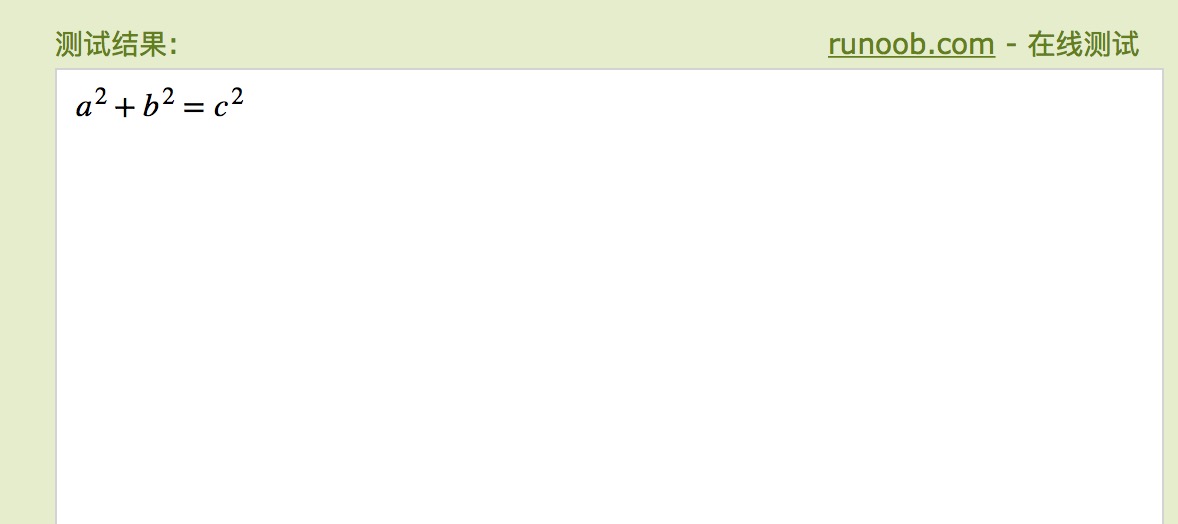
Imagen del resultado de la ejecución, como se muestra a continuación:
El siguiente ejemplo agrega algunos operadores:
Ejemplo
<html>
<head>
<meta charset="UTF-8">
<title>Ejemplo (example.com)</title>
</head>
<body>
<math xmlns="http://www.w3.org/1998/Math/MathML">
<mrow>
<mrow>
<msup>
<mi>x</mi>
<mn>2</mn>
</msup>
<mo>+</mo>
<mrow>
<mn>4</mn>
<mo></mo>
<mi>x</mi>
</mrow>
<mo>+</mo>
<mn>4</mn>
</mrow>
<mo>=</mo>
<mn>0</mn>
</mrow>
</math>
</body>
</html>
Pruébalo »
Usando una biblioteca de terceros para dar soporte:
Ejemplo
<html>
<head>
<meta charset="UTF-8">
<title>Ejemplo (example.com)</title>
<script type="text/javascript" src="/static.jyshare.com/assets/js/mathml/mspace.js?v=2"></script>
</head>
<body>
<math xmlns="http://www.w3.org/1998/Math/MathML">
<mrow>
<mrow>
<msup>
<mi>x</mi>
<mn>2</mn>
</msup>
<mo>+</mo>
<mrow>
<mn>4</mn>
<mi>x</mi>
</mrow>
<mo>+</mo>
<mn>4</mn>
</mrow>
<mo>=</mo>
<mn>0</mn>
</mrow>
</math>
</body>
</html>
Pruébalo »
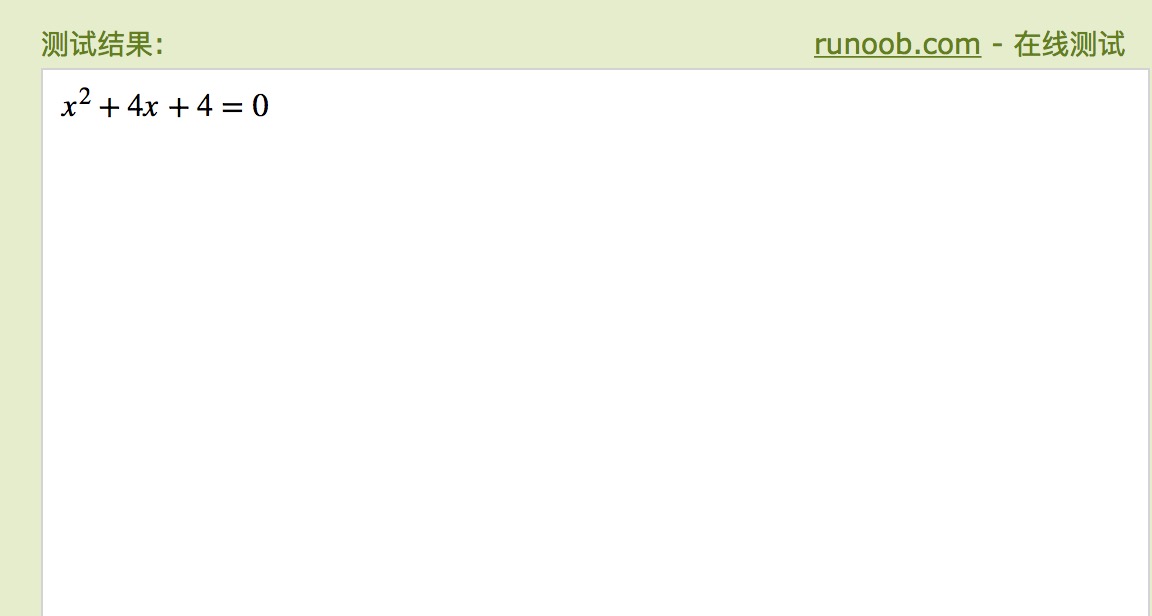
Imagen del resultado de la ejecución, como se muestra a continuación:
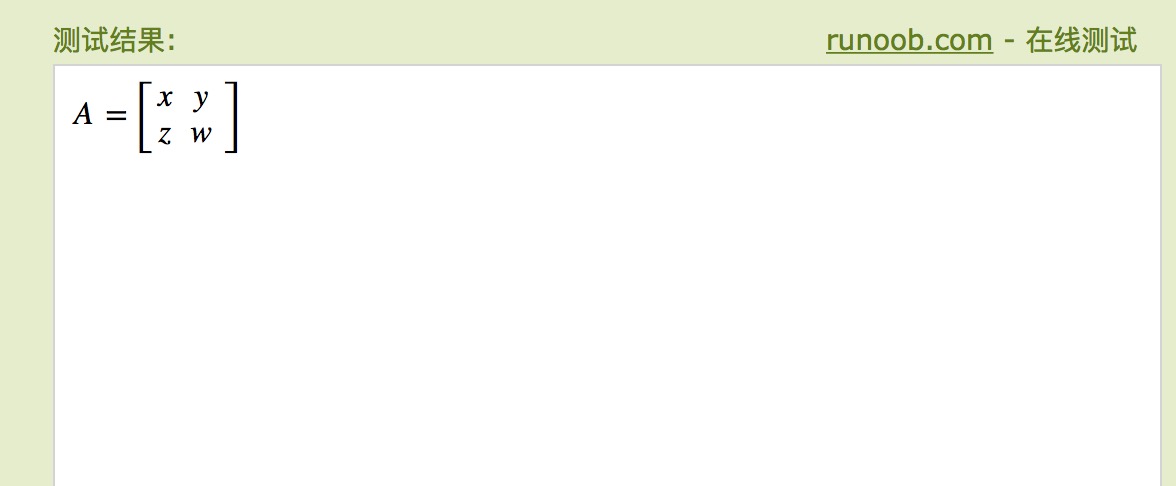
El siguiente ejemplo es una matriz de 2×2; puedes ver el efecto en Firefox 3.5 o versiones posteriores.
Ejemplo
<html>
<head>
<meta charset="UTF-8">
<title>Ejemplo (example.com)</title>
</head>
<body>
<math xmlns="http://www.w3.org/1998/Math/MathML">
<mrow>
<mi>A</mi>
<mo>=</mo>
<mfenced open="[" close="]">
<mtable>
<mtr>
<mtd><mi>x</mi></mtd>
<mtd><mi>y</mi></mtd>
</mtr>
<mtr>
<mtd><mi>z</mi></mtd>
<mtd><mi>w</mi></mtd>
</mtr>
</mtable>
</mfenced>
</mrow>
</math>
</body>
</html>
Pruébalo »
Usando una biblioteca de terceros para dar soporte:
Ejemplo
<html>
<head>
<meta charset="UTF-8">
<title>Ejemplo (example.com)</title>
<script type="text/javascript" src="/static.jyshare.com/assets/js/mathml/mspace.js?v=2"></script>
</head>
<body>
<math xmlns="http://www.w3.org/1998/Math/MathML">
<mrow>
<mi>A</mi>
<mo>=</mo>
<mfenced open="[" close="]">
<mtable>
<mtr>
<mtd><mi>x</mi></mtd>
<mtd><mi>y</mi></mtd>
</mtr>
<mtr>
<mtd><mi>z</mi></mtd>
<mtd><mi>w</mi></mtd>
</mtr>
</mtable>
</mfenced>
</mrow>
</math>
</body>
</html>
Pruébalo »
Imagen del resultado de la ejecución, como se muestra a continuación: