サーバーを管理する際、監視スクリプトを作成し、問題が発生したときにメールで通知する必要がよくあります。次に、Linux でメールを送信する最も簡単な方法を紹介します。
Centos、RedHat システムの mail コマンド
1、ローカルの sendmail サービスまたは postfix サービスを停止します
#执行下面的命令,各位大侠都对号入座吧
#sendmial
service sendmail stop
chkconfig sendmail off
#postfix
service postfix stop
chkconfig postfix off

#再狠一点就直接卸载吧..
yum remove sendmail
yum remove postfix
2、その後 /etc/mail.rc を変更し、ファイルの末尾に以下の内容を追加して、外部の SMTP サーバーアドレス、アカウントパスワードなどを指定します
$ vi /etc/mail.rc
set [email protected]
set smtp=smtp.qq.com
set smtp-auth-user=123456
set smtp-auth-password=サンプル
set smtp-auth=login
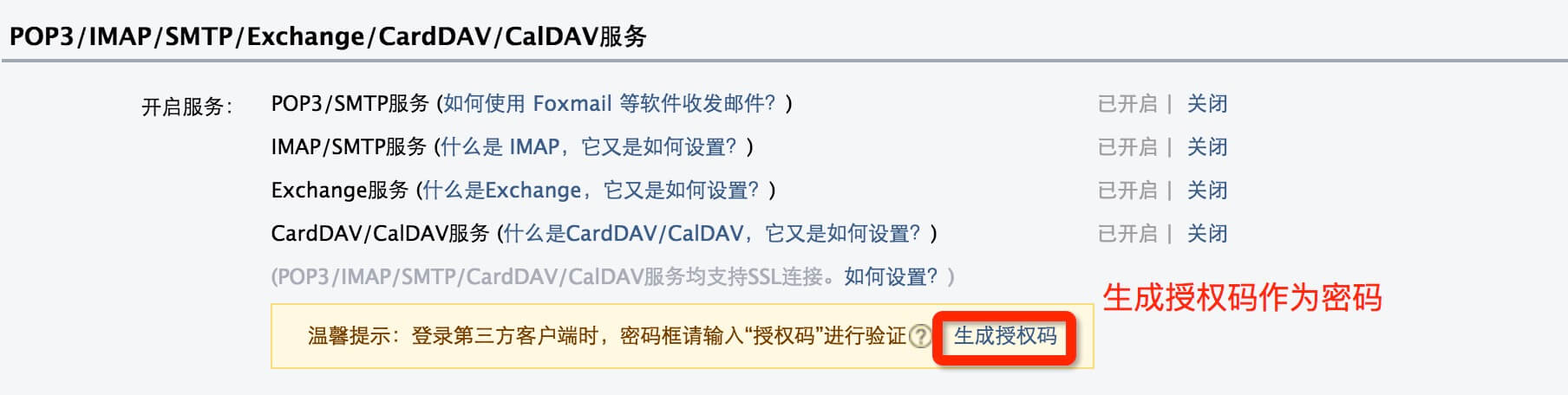
ここではQQメールのSMTPを使用しています。以下の設定が必要です。
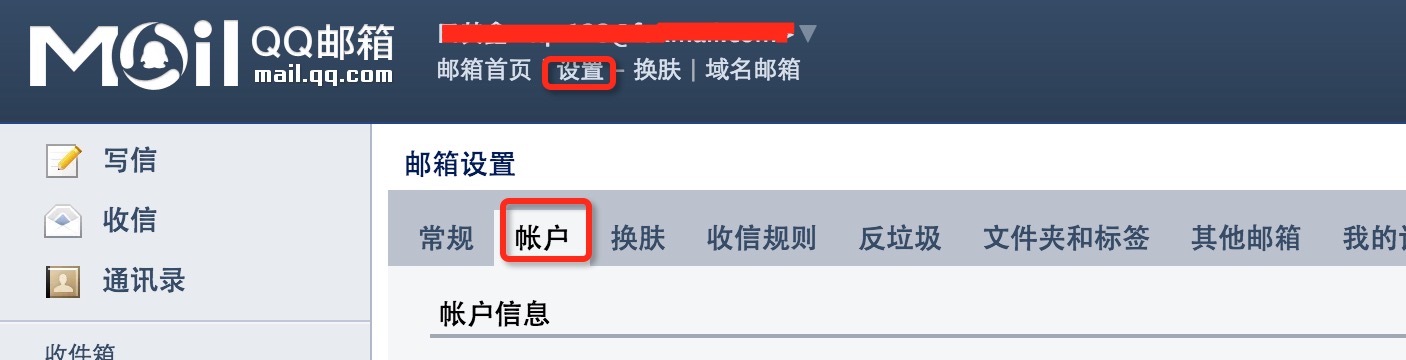
QQメールでは認証コードを生成してパスワードを設定します。
3、その後コマンドでメールを送信します
echo hello word | mail -s " title" [email protected]
Ubuntu システムの heirloom-mailx コマンド
1、heirloom-mailx をインストールします
sudo apt-get install heirloom-mailx
2、設定
vi /etc/nail.rc認証が必要な QQ メールの公開 SMTP サーバーを追加します:
set [email protected]
set smtp=smtp.qq.com
set [email protected]
set smtp-auth-password=サンプル
set smtp-auth=login
3、コマンドラインでQQメールのユーザーにメールを送信します
echo "邮件内容" | heirloom-mailx -s "邮件标题" [email protected]